Explore FT-Raman spectra further in the spectra view
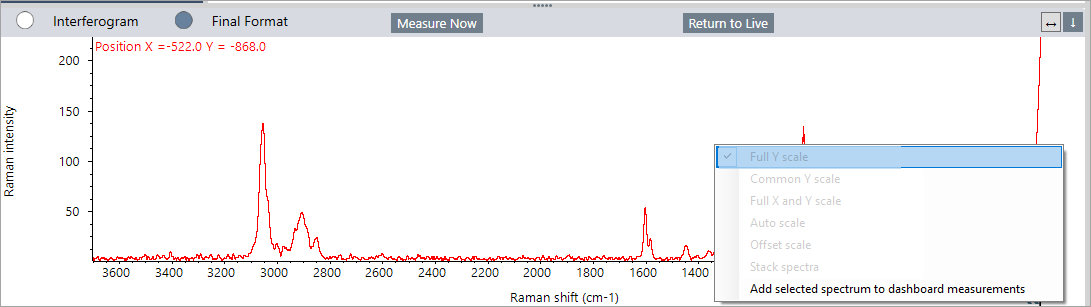
You can save a Raman spectrum to the dashboard by right-clicking the spectrum pane and selecting the option to add it. This allows easy access for sharing or further processing in the Spectra view using the full set of analysis tools.
You can save a measurement from the Raman analysis view as a measurement on the dashboard. This is useful for sharing a single measurement or for opening the measurement in the Spectra view, where you can apply the full suite of processing and analysis tools.
Right-click the spectrum panel and select Add selected spectrum to dashboard measurements. The spectrum is saved to the dashboard X and Y position as the measurement name.